Karbon Triage Redesign
A faster, more flexible email workflow
- Role
- Lead Product Designer
- Timeline
- 2024
- What it is
- Core email triage and processing experience inside Karbon
Overview
Triage is one of Karbon’s busiest work surfaces. It is where users read, sort, respond to and file email-related work throughout the day.
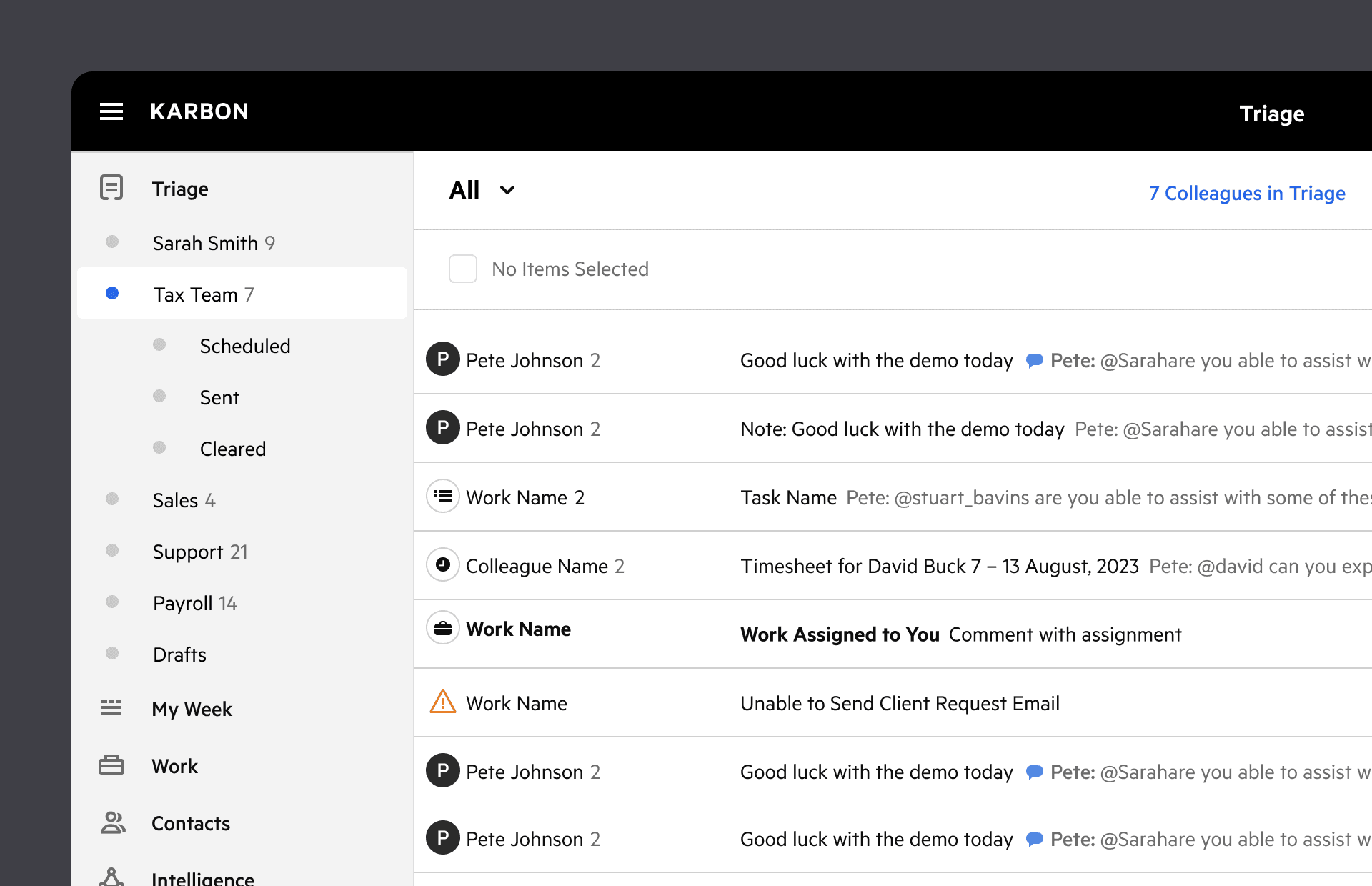
The redesign introduced compact list and split views, giving people faster ways to scan messages and more context when they needed it.
The challenge was to improve speed and clarity without breaking a workflow people already relied on.
Built for scanning
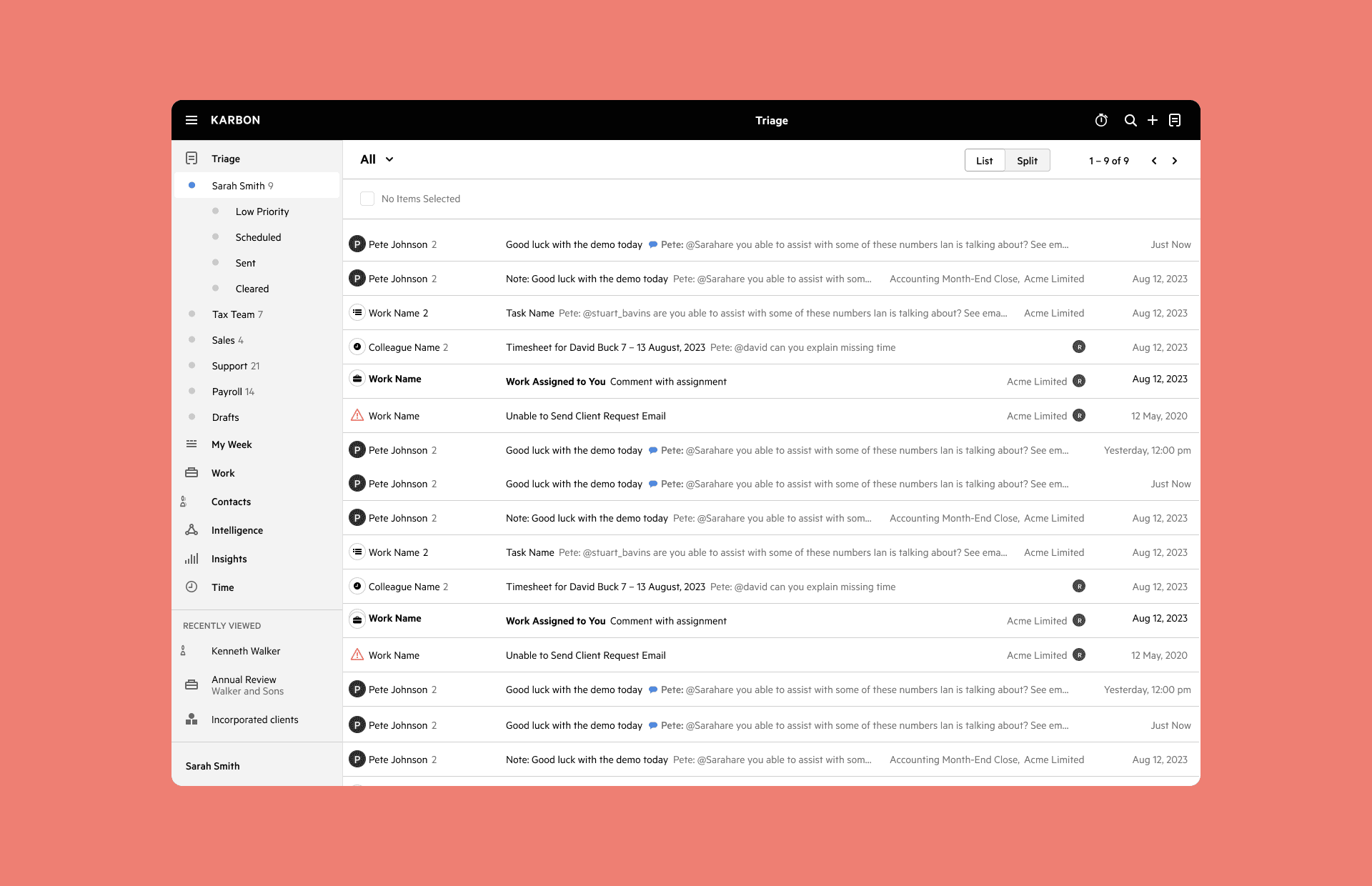
Triage users move quickly. The redesign reduced visual effort while keeping the useful context close.
The compact list view made it easier to move through emails, notes, mentions and notifications without opening each item, and fit more than twice as many items per page.
More context when needed
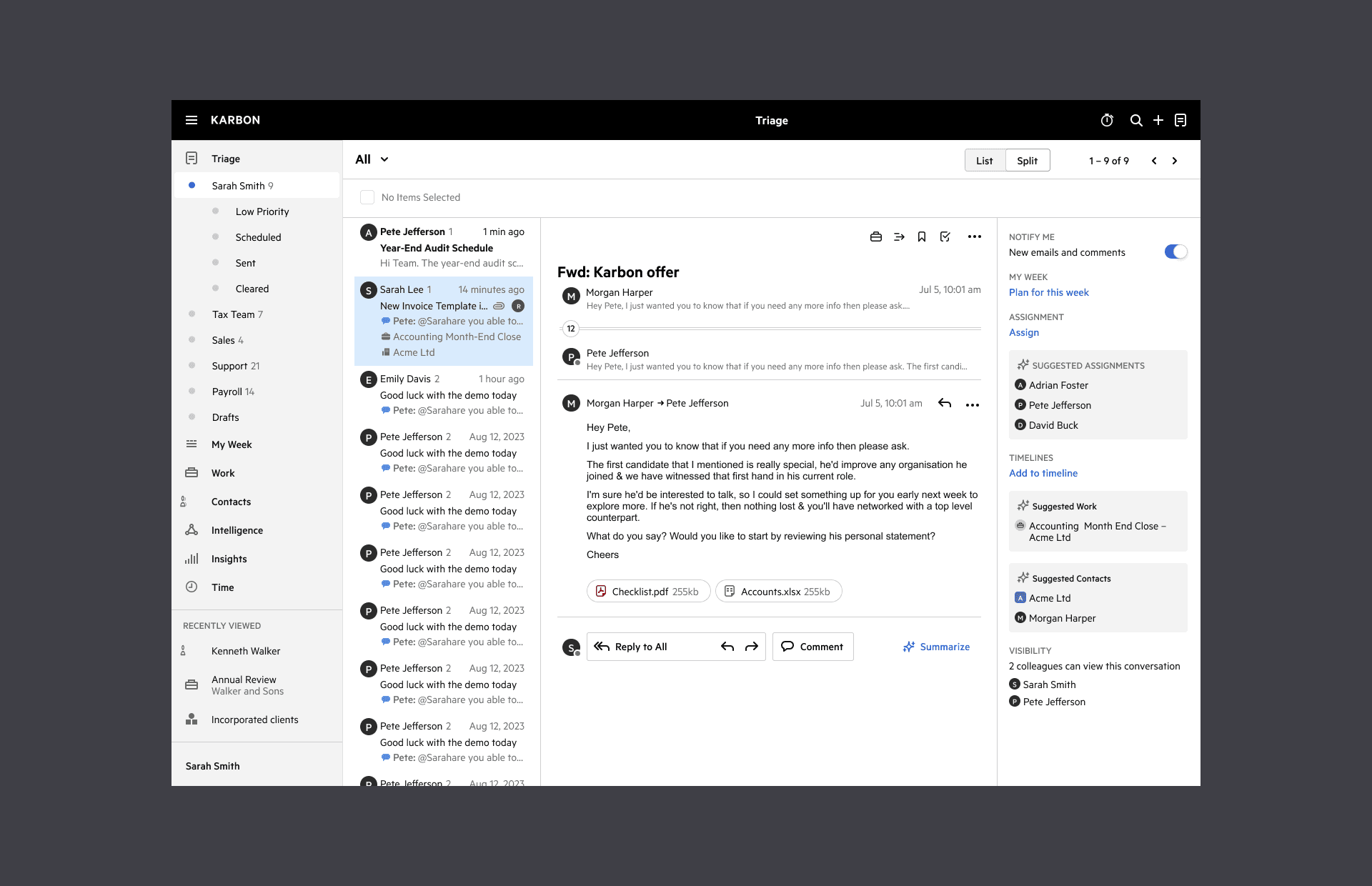
The split view gave users a more familiar side-by-side workflow, with the list, message and context visible together.
People could switch between compact and split views depending on the task, without feeling like they were moving to a different product.
The small frictions mattered
The redesign was not only a layout change. It also removed repeated annoyances in the email loop.
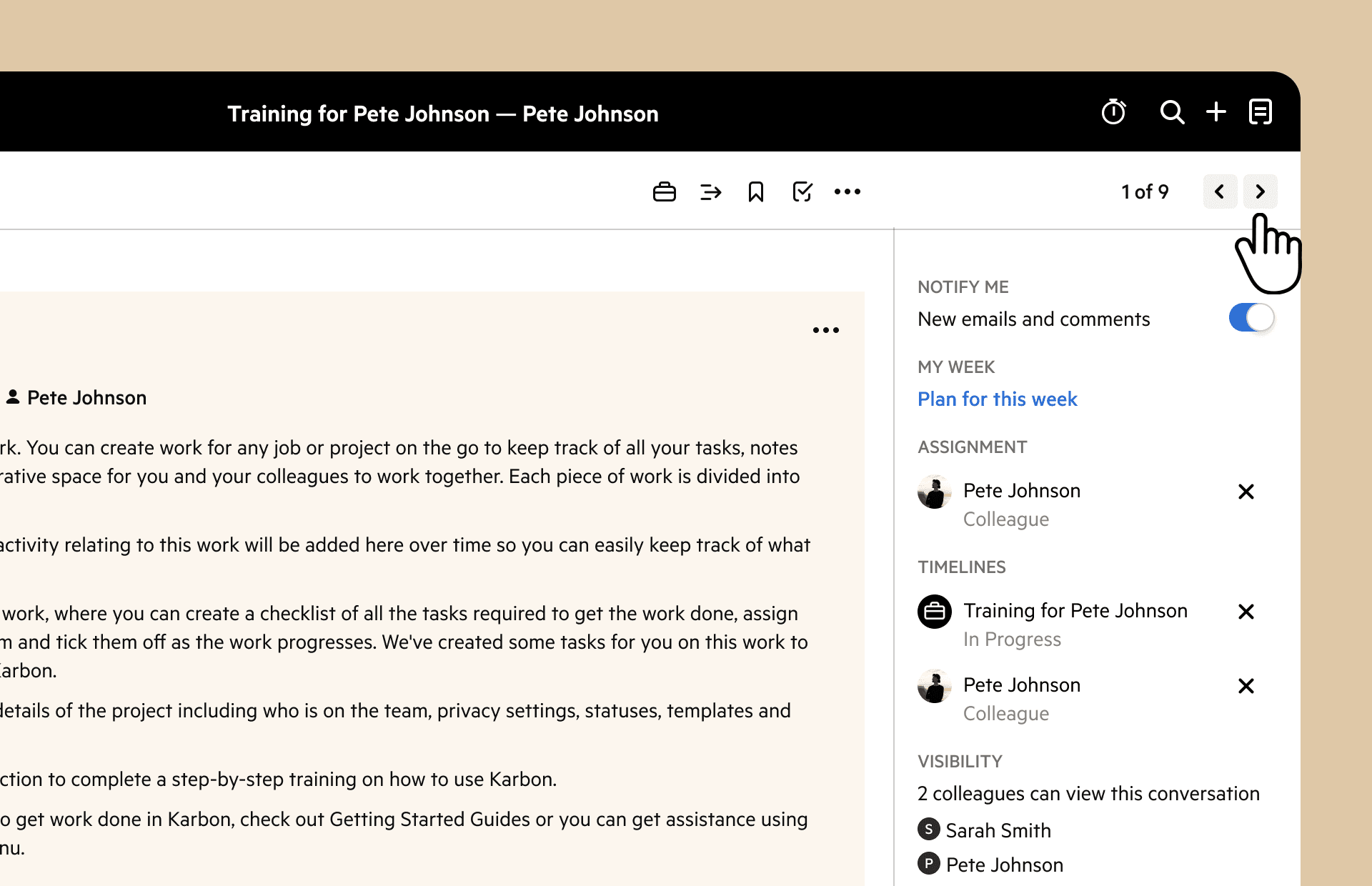
Emails loaded faster. Users could return instantly to previous conversations. Messages opened in a more useful state by default.
These were small changes, but they mattered in a surface people used all day.
Beyond email
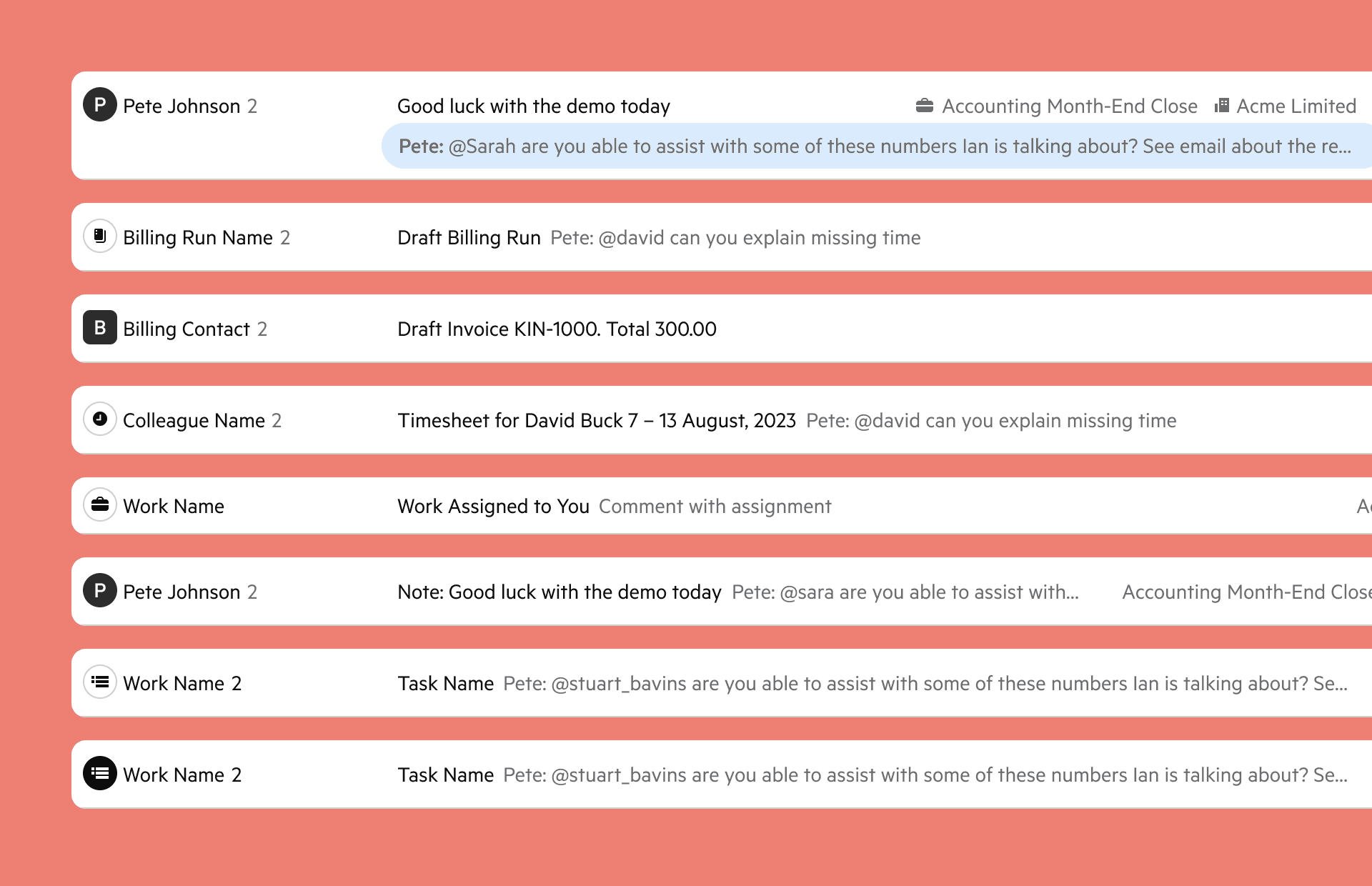
Triage had grown beyond email. It also handled mentions, notes, work assignments and Client Request notifications.
The redesign helped these items behave more consistently, so Triage could work as a single queue rather than a set of similar but slightly different patterns.
Ready for shared inboxes
A clearer Triage model also made shared workflows easier to support.
Shared Triage treated inbox work less like a private queue and more like a team surface, where ownership, visibility and next actions could be managed together.
What shipped
- Introduced compact list and split layouts
- Added a three-column split view for more context
- Improved scanning across emails and notifications
- Consolidated Triage item patterns beyond email
- Improved email load and return-to-conversation behaviour
- Prepared the experience for Shared Triage workflows
- Rolled out to all Karbon customers by 12 August 2024
What people said
“Triage in Karbon is essential to how we manage our workload.”
Matt Belville, Assured Tax & Accounting
“Since using Karbon, we have a much better handle on our workflow.”
Matt Belville, Assured Tax & Accounting
“Perfect update. Should be great for our admin team.”
Bernie Ackerman, LinkedIn comment on Karbon’s Shared Triage release post
“It’s good! Game changer.”
Mike McLenehan CPA, CGA, LinkedIn comment on Karbon’s Shared Triage release post