Checky
NZ Vaccine Pass Scanner
- Role
- Creator and designer
- Timeline
- 2021–2022
- What it is
- Self-serve vaccine pass and venue QR kiosk for New Zealand businesses
Overview
Checky was built for a specific public-health moment in New Zealand.
Before Checky, venue entry often meant two separate steps: customers scanned a COVID Tracer poster, then staff scanned each person’s vaccine pass with a phone.
Checky turned that into a self-serve kiosk flow. Venues could load their COVID Tracer QR code, install the app as a progressive web app, and run it offline on an iPad, tablet, laptop, or spare phone near the entrance.
How it worked
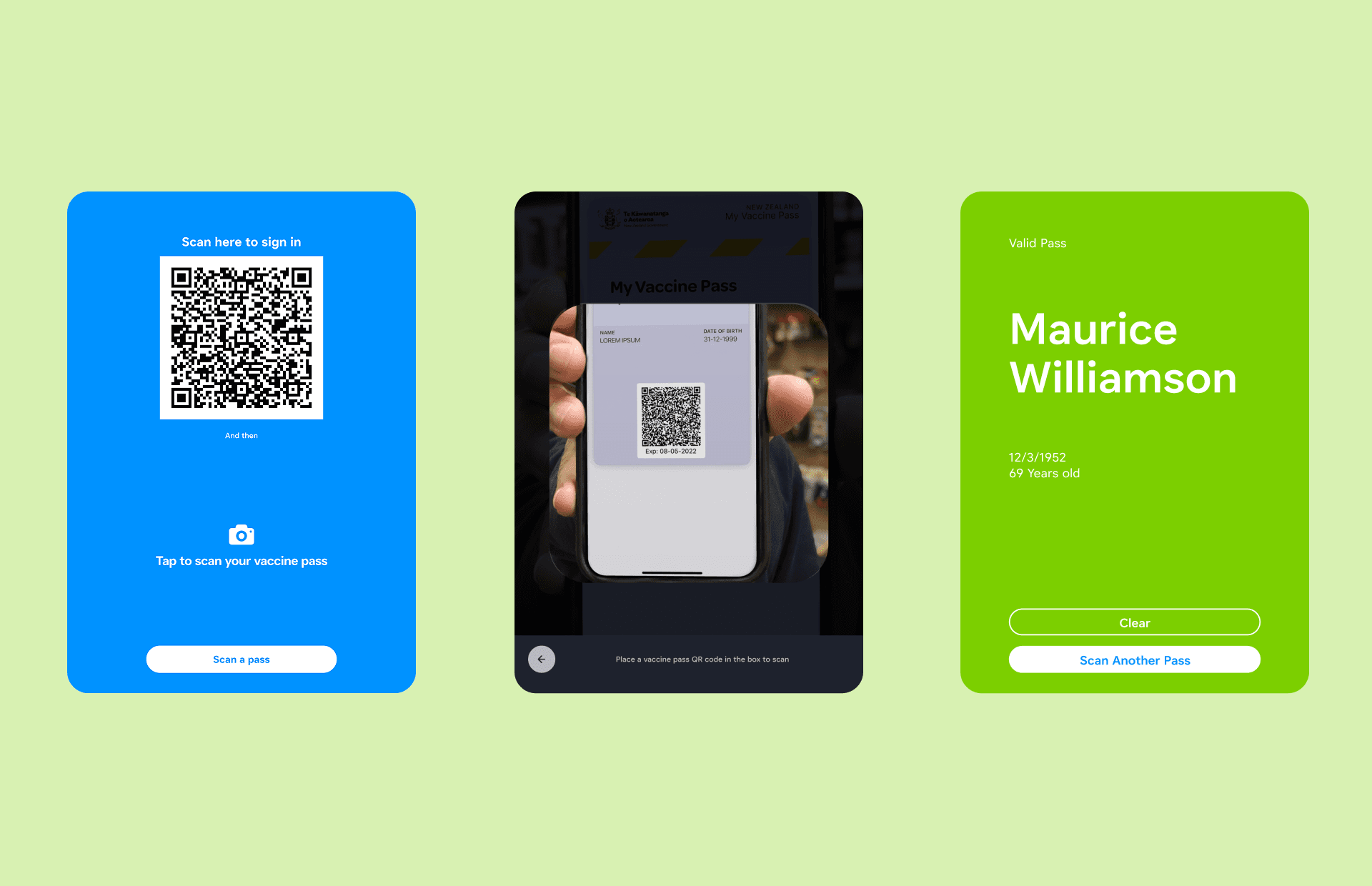
- Venue displays its COVID Tracer QR code in Checky
- Customer scans the venue QR
- Customer taps to scan their vaccine pass
- Checky verifies the pass on-device
- Staff see a full-screen valid or invalid state
Designed for quick trust
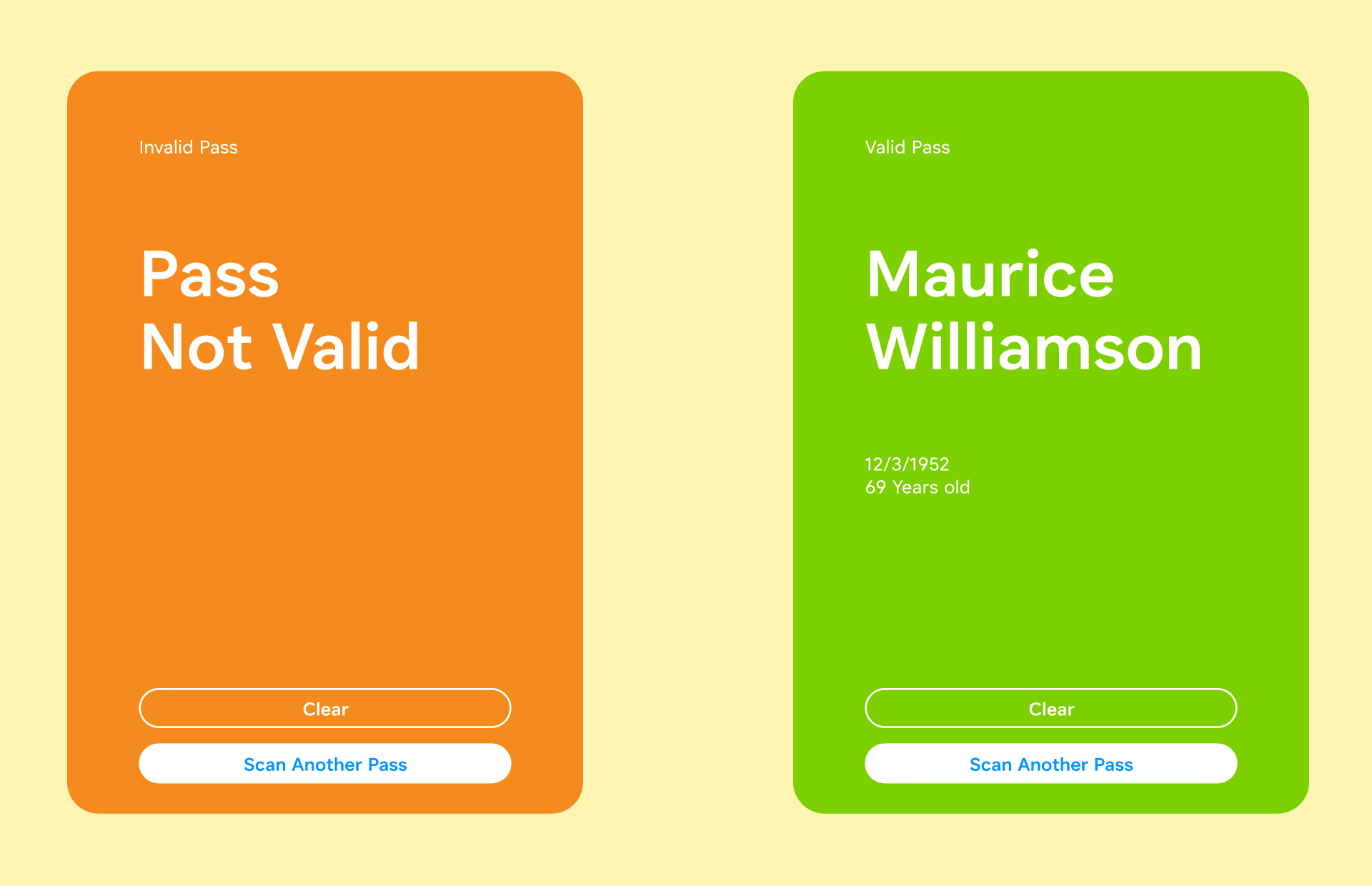
The result screen had to be obvious from across a counter or entrance.
A valid pass showed a clear green success state. An invalid pass showed an orange warning state. The design was intentionally direct because the job was operational, not decorative.
Built for real venues
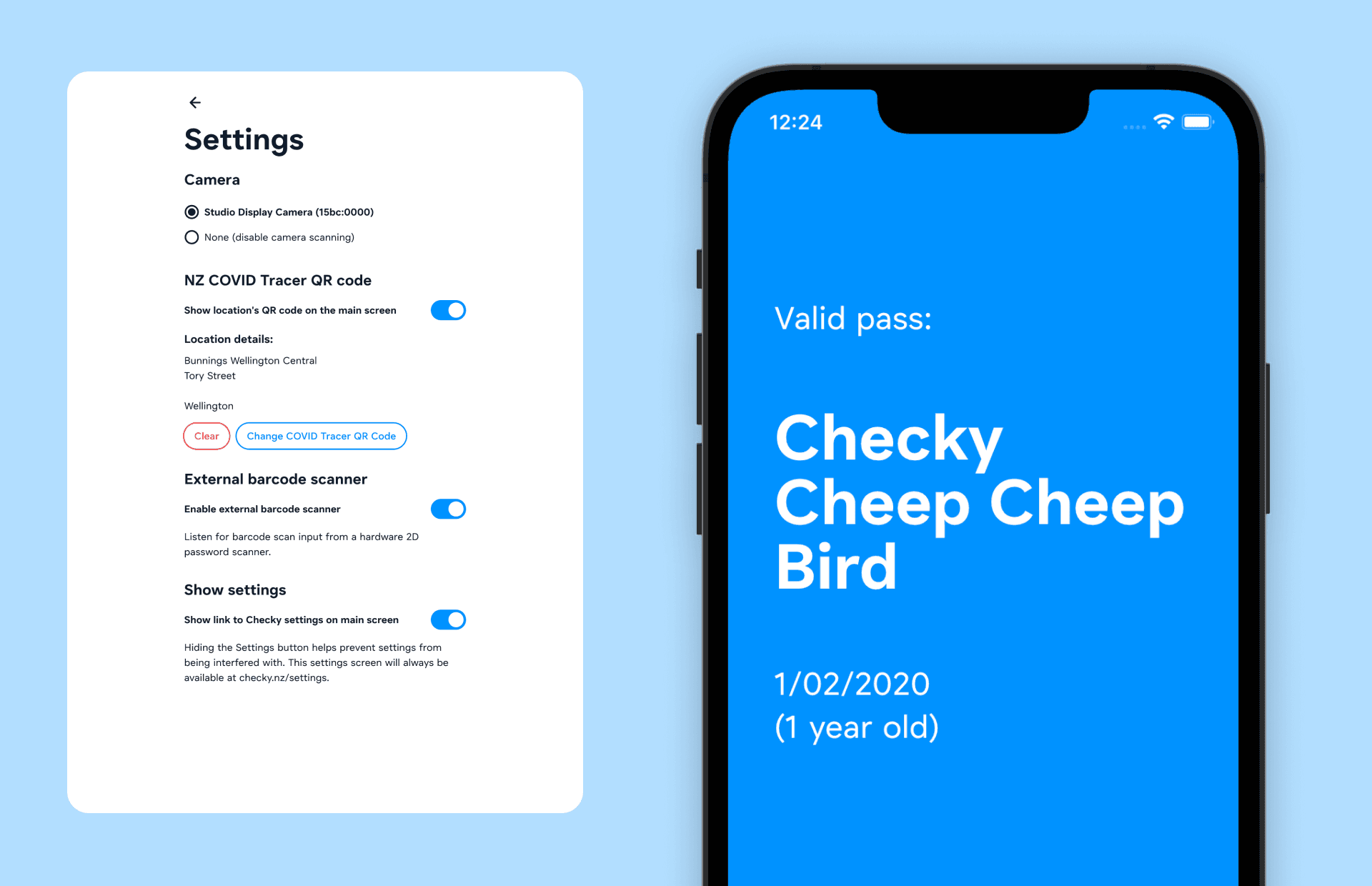
Checky was designed for the devices venues actually had. It supported installed PWA use, front-facing cameras, external barcode scanners, and offline verification after install.
Nothing needed to leave the device. There were no accounts, tracking, server calls, or unnecessary data collection.
What it did
- Combined venue QR display and vaccine pass checking
- Supported self-serve kiosk use
- Verified passes offline on-device
- Showed full-screen valid and invalid states
- Supported cameras and external barcode scanners
- Reduced staff interruption at busy entrances